Today, I will tell you about the problems that occur in the Epson L3200 printer.
If the waste ink pad in the ink tank printer is full, the message “Service required” is displayed, and the printer stops working. Now download the Epson L3200 adjustment program in the tutorial and easily reset the waste ink pad error.
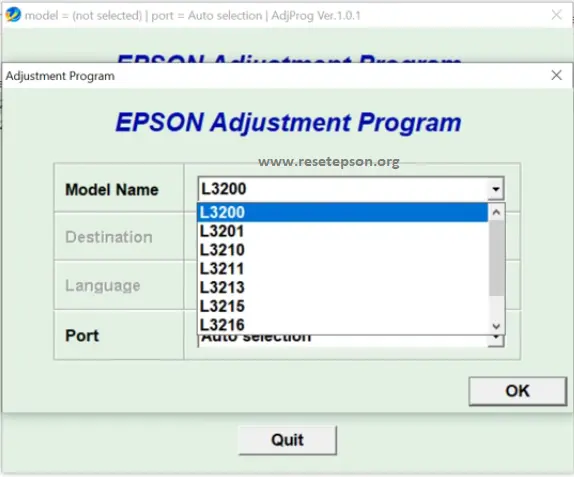
You don’t need to worry. You can reset your printing machine using software. By resetting the printer counter with this software, you can easily print from the printer.
The Epson L3210 Resetter application is an application used to reset the “waste ink cushion counter” in the printer, which is 100% cheaper than the printer, which has previously been surrendered for reuse.
Allocate time and money without having to take the machine to the Provider Center anymore.
Epson L3200 Service Required a solution
The Epson L3200 service required solution: The ‘Service required’ error has been shown in light of the fact that the sensors in your printer’s ink cartridges are sending a printout to make it easier to replace your cartridges or to repair them appropriately.
Epson L3200 Adjustment Program Download
What is the Adjustment Program?
When your Epson printer shows Service Required, All Lights Blinking, or Ink Pad Full / End of Service Life, it means the internal waste ink counter has reached its maximum limit and the printer automatically stops working for safety.
To fix this, you can use the Adjustment Program, a special reset tool that resets the waste ink pad counter back to zero, so your printer starts working normally again.
With this tool, you can reset the Waste Ink Pad Counter, solve All Lights Blinking errors, clear the Service Required message, perform EEPROM Reset, run Head Cleaning/Ink Charge, and test various printer functions easily.
Epson L3200 & L3210 Adjustment Program Same
Send a WhatsApp message for technical support. Our team will respond to you shortly.
Epson L3200 Adjustment Program download from Google Drive
Nice article dear friend
Thank u this was really helpful
Sir ji mere canon printer 2010 hai usme photo ka me jo chehre ka halka red hota hai wo bilkul nahi aa raha hai pura cyan colour de raha hai jesase photo achhi nahi lag rahi hai please sir help me
THANK YOU! HELPFUL CONTENT! LIFE SAVER!
Thanks a lot. Becaauuse an am sucsess by this process