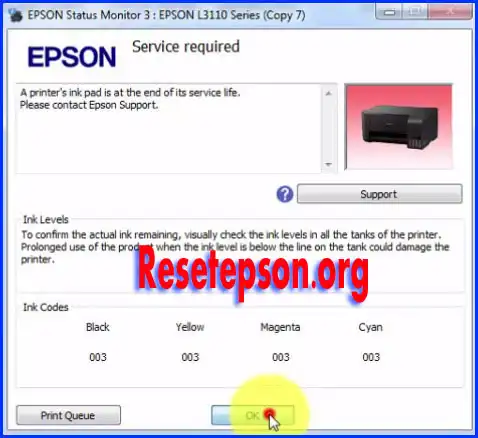
Hello friends, today I will discuss the topic of Epson Resetter. The “Red” light of the printer and the “Green Power” button are constantly flashing. Now, when you try to print, an error message notification “Service required” appears on your PC screen.
You need to reset the ink pad; it is useful to fix the error using the Epson L3110 Resetter software.
Epson L3100, L3101, L3115, L3116, L3118, L3150, L3156, l5190 Series Software Download Now.
Waste Ink Pad Counter Reset Step By Step
Download the Epson L3110 resetter adjustment program
How to reset the waste ink pad
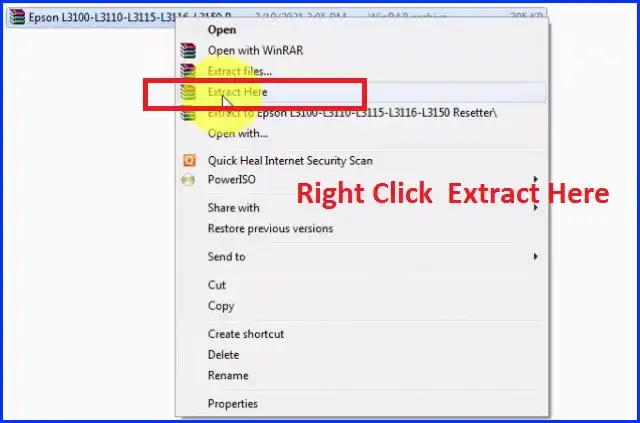
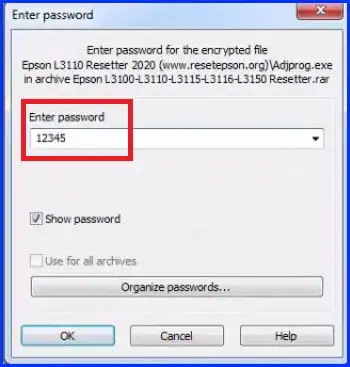
The Extract is the password: 12345
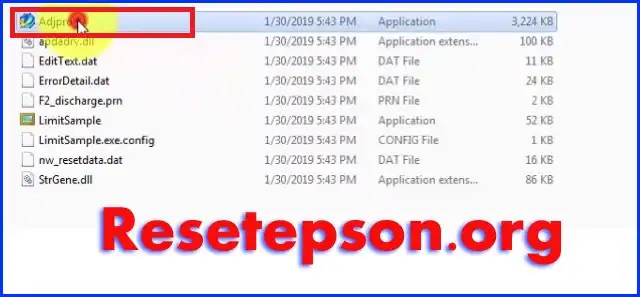
Open file, click on “Adjprog”
Next will Open The Window Adjustment Program… Click Select >
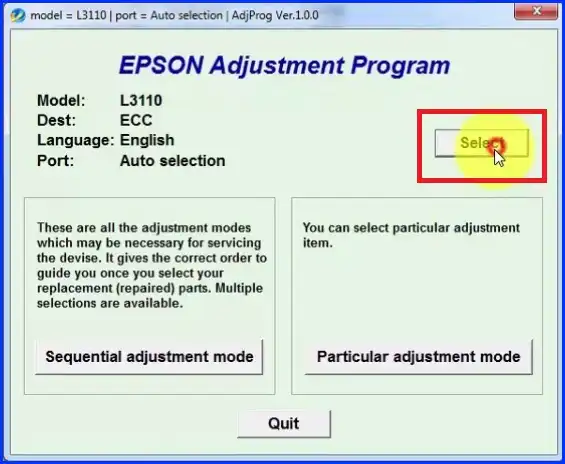
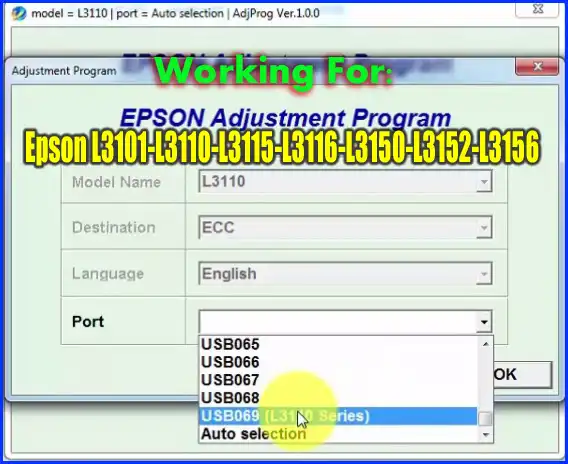
Select “Model Name” & Port > USB > Detected Model
exp: L3110-L3101-L3115-L3116-L3150 Etc.
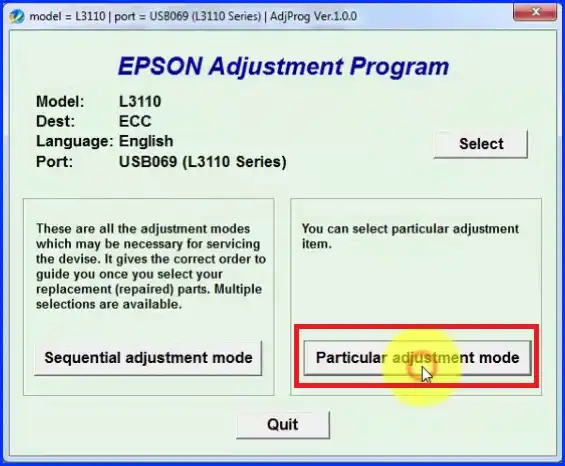
Click on Particular Adjustment Mode.
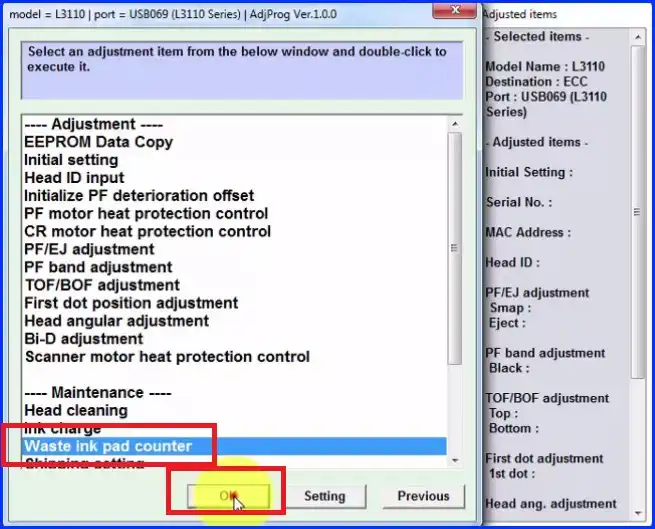
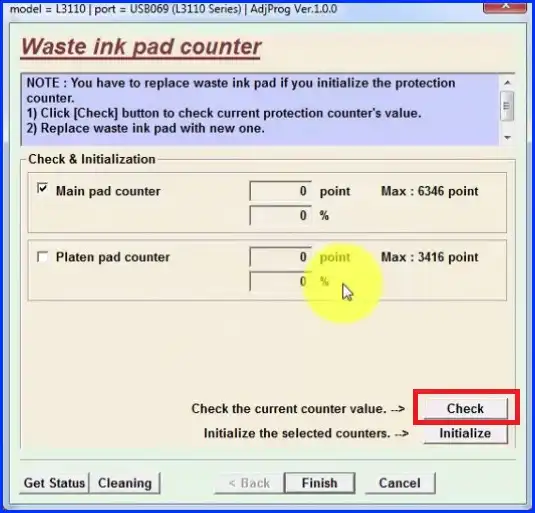
Click on waste ink pad counter and ok
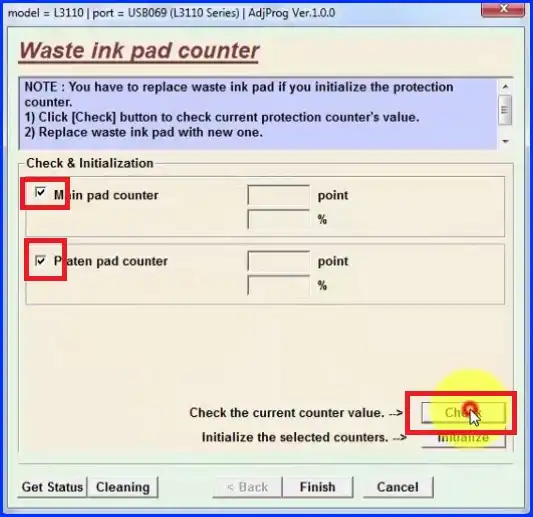
Tick on the Main Pad Counter and Paten pad counter then press the check button
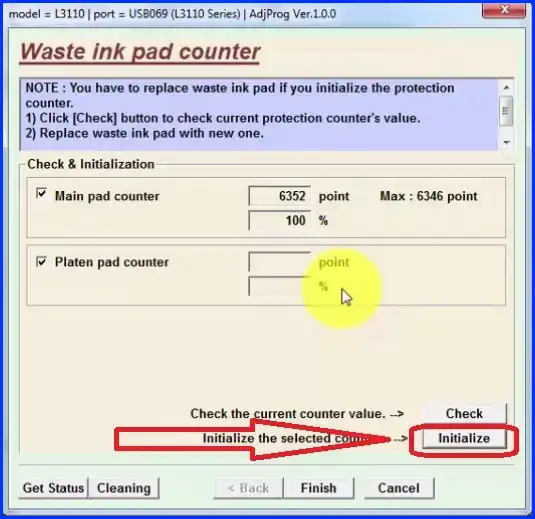
Next, click on the initialize button
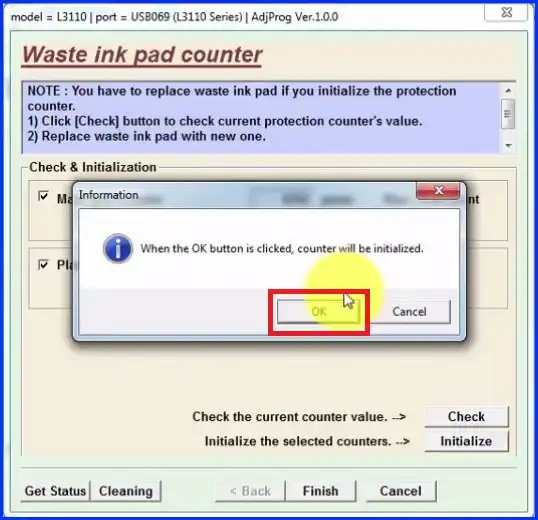
open a small window, you click on the ok button
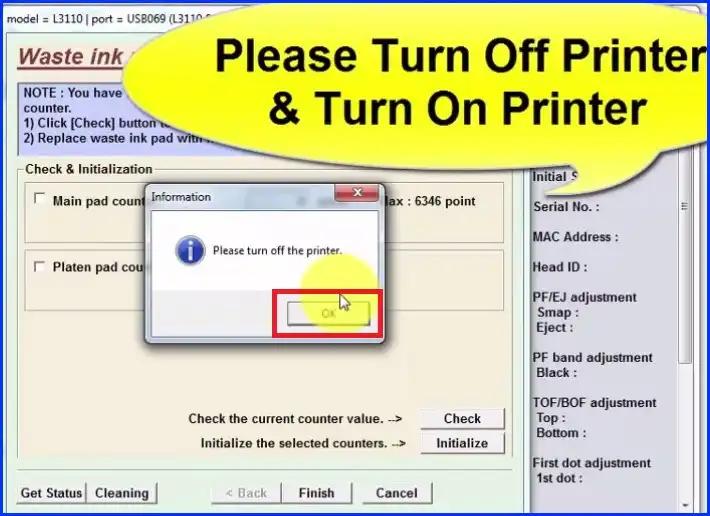
will open the message box please turn off the printer
Next, click on the check button
WHAT IS THE PASSWORD
Supper✌️✌️ best help i am very happy
Already download the software for epson resetter but when click the model name,there is no for L220..only L110,L210,L300,L350,L355..????
green Boston of but two red bottoms blinkins
Epson L3110 please tell me password