Hi friends, I will tell you about the problems with the Epson L3116 printer. The printer is showing a “service required” Error on the screen. The printer stops printing.
You don’t need to think about this. We have a solution. I think it will help you. Now you need to download the Epson Adjustment Program Resetter L3116. And reset the waste ink pad counter (Fix Service required error)
I have explained how to download it in the paragraph below. Similarly, we are available to answer your Printer doubts regarding Printer.
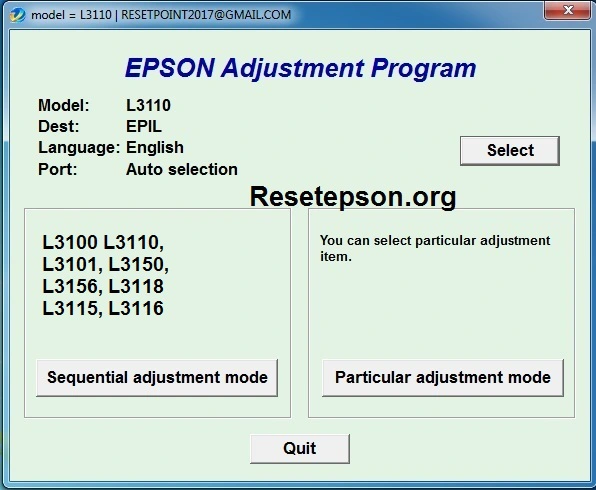
Epson L3116 Resetter Software Uses
Epson l3116 Resetter Software Uses: This software is used to reset the “waste ink pad counter” and also prevents the “service required”, “ink pad full” and “red light blinking errors”.
It also resets the printer to work normally and this software also saves the money and time to you.
We are going to discuss, when the red light is blinking and how to respond to major problems related to it. When the waste ink pad counter overflows, replace the waste ink pad for your Epson printer if necessary.
Now you can reset the Epson ink pad counter using the full version reset utility software.
Password: 12345
Red light Blinking
Is the printer’s red light is flashing, this indicates the problem in the printer. If resolve this problem the flashing will be stoped, you no need to worry
Remember that it will serve you for life. The resetter program should always be on your computer.
Contact Us: For Technical Problems please contact our support team via (whatsapp message XYZ)
For full information about resetter. click here

How do I reset? Watch the Video? Add link
Epson Adjustment Program Resetter L3116
Thank you so much for giving good service and god bless you….
Epson ka sopteyar ka
THANK U SIR❤
Nice video sarji
Thanku
Bahut bahut dhanyawad Bhai ji
Like bhi kiya hai subscribe bhi kiya hai